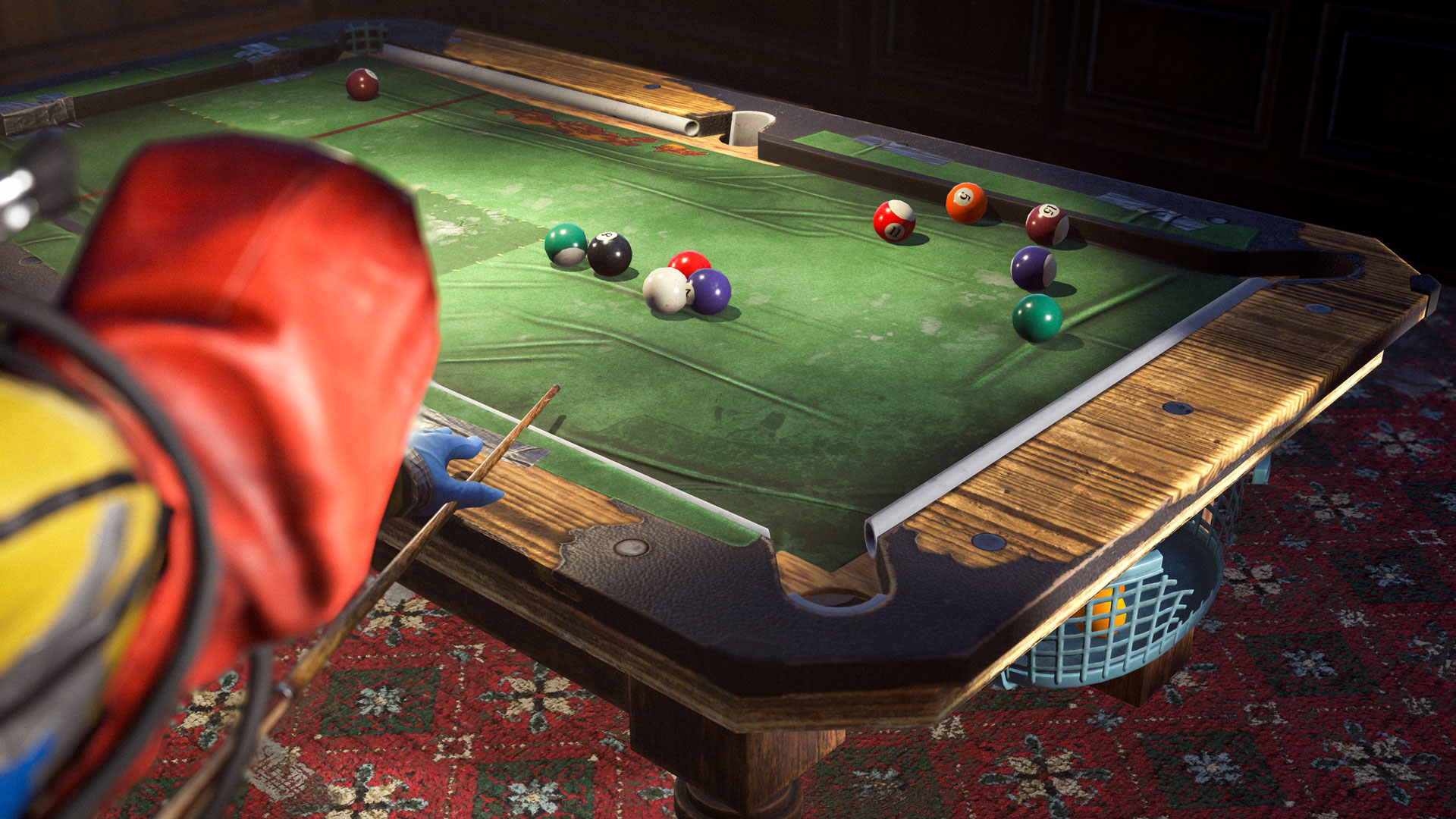
Pool Tables are coming to player bases as part of the RUST August 2026 Update, bringing yet another way for survivors to avoid doing anything productive. Players who own the Bar Games DLC can craft and deploy a functional Pool Table inside their base, provided they have enough room to fit it.
Where to Find Pool Tables in RUST
At the time of writing, Pool Tables can only be deployed by players and do not appear at monuments or safe zones. This is entirely subject to change, and we’ll almost certainly see some added within the custom map community. For now, they are the exclusive province of those who either own the DLC or are teamed with or have traded with someone who made one.
How to Start a Pool Game in RUST
Once the Pool Table is deployed, which can be a fidgety and quite real-estate-intensive experience in itself, players may approach and initiate a game. They are presented with the option to start a single- or two-player game by pressing or holding the E key to bring up the wheel menu.
Once the option is selected, the game will begin. The Pool Table supports solo and two-player games.
Single-player mode allows one player to practice and take uninterrupted shots.
In two-player mode, either player can take the first turn. The game automatically removes the active player from the table when their turn ends. A turn ends when the player scratches, fails to pocket a valid ball, strikes an invalid ball first, or misses every ball entirely.
Unlike other games added previously, all betting must be done outside the game interface using honor-based methods, as Pool doesn’t have a built-in wager option.
RUST Pool Rules
Pool in RUST follows a modified version of 8-ball. Players are assigned either solids or stripes and must pocket every ball in their group before legally sinking the black 8-ball.
1. Breaking
The player taking the first shot must make a legal break by either pocketing at least one ball or causing at least four balls to strike the cushions.
If the break does not meet either requirement, the balls reset, and the other player takes over breaking duties.
2. Solids and Stripes
Players are assigned solids or stripes based on the first eligible ball pocketed after the break.
Once groups have been assigned, the cue ball must first contact a ball belonging to the active player’s group. After pocketing all their assigned balls, the player may attempt to pocket the black 8-ball.
3. Ending a Turn
A player’s turn ends when they:
Fail to pocket one of their assigned balls
Strike an invalid ball first
Contact the 8-ball first before clearing their assigned group
Fail to contact any ball with the cue ball
Scratch by pocketing the cue ball
4. Scratches
After a scratch, control passes to the other player, and the cue ball returns to its starting position on the Pool Table. At the time of writing, players cannot manually reposition the cue ball as they commonly would in real-world pool.
5. The 8-Ball
Hitting the black 8-ball into any pocket at any time other than as the last ball you pocket during the game, or the first ball pocketed explicitly on break, will result in an immediate loss on that player’s behalf.
Pocketing the 8-ball during the opening break appears to be treated as an exception, rather than an automatic loss.
6. Winning the Game
To win, pocket every ball in your assigned group and then legally pocket the black 8-ball. Once a player wins, a small confetti animation appears and announces the winner.
Players can walk away from the game at any time. Another player may then approach the Pool Table and reset the game.
The Pool Table Interface in RUST
Once you play Pool (mount) the table, there are several changes to the standard RUST interface.
First, you will lose access to the Global chat and enter a private first-person view, crouching at table level with a cue stick in hand.
Second, a new interface will appear to your right, showing the general directions to play.
Abandon / Leave the game – SPACE
Position / Reposition the stick – A/D
Hold to Shoot (do not let go even when shooting) – Left Mouse button
Flick to Shoot – With left mouse held, physically pull your mouse towards you, and then quickly push it away to hit the ball. The distance to you is indicated by a red bar and reflects power.