Start with a GUN & 10,000 Building Materials
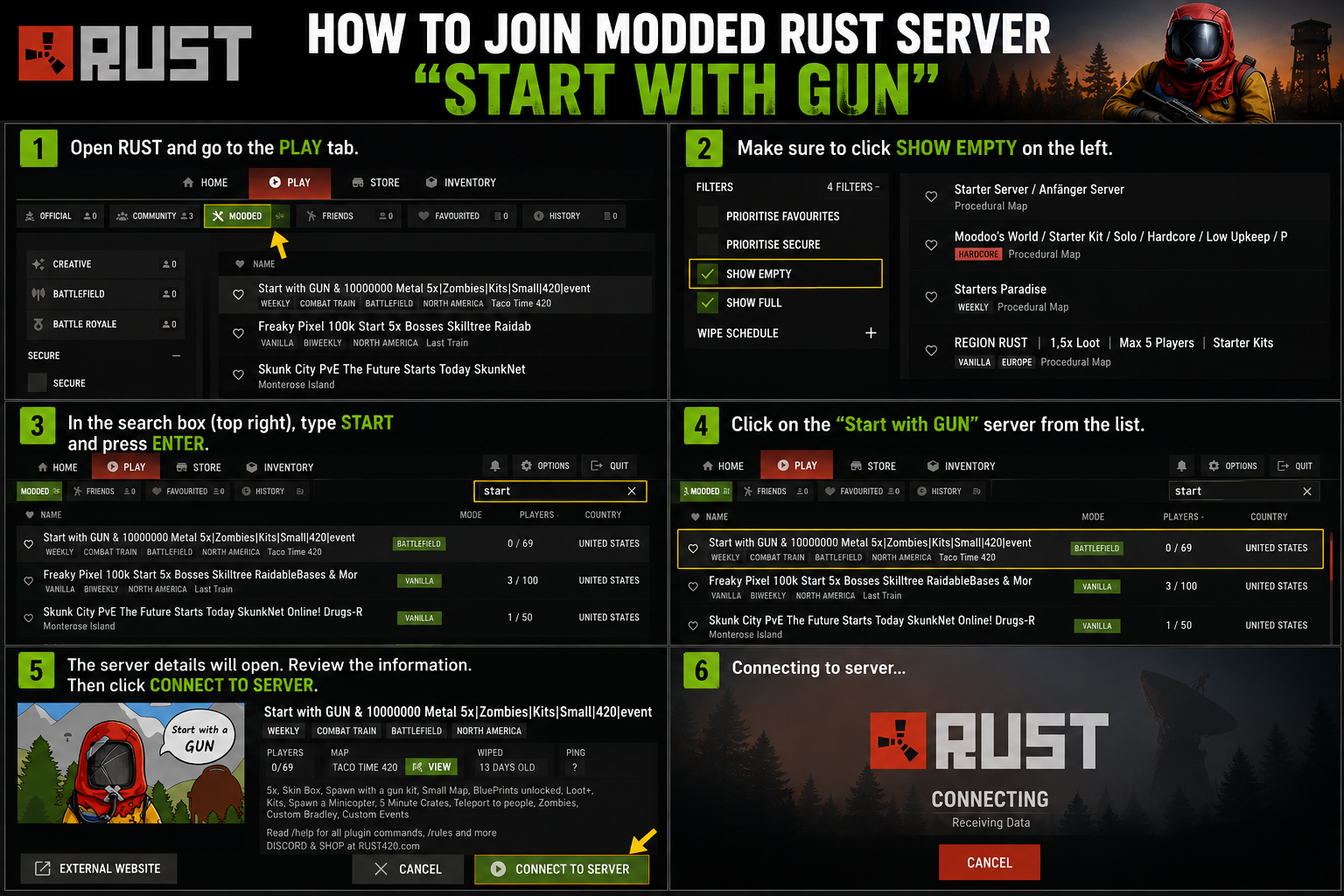
# 🔍 Search the Modded Server list for “Start with GUN“
- Spawn with a gun kit
- Skinbox
- Jet Packs
- 5x Loot and Gather
- Small Map
- No BluePrints
- Loot+
- Kits
- Item Shop
- Spawn a Minicopter
- Minute Crates
- Teleport to people
- Zombies 🧟
- Buy vehicles with scrap
- PVE Zone 💙
- Custom Bradley
- Custom Events
Rust_Start_with_Gun_Server_Guide
We are a noob friendly server. Instead of shooting fresh spawns, perhaps you could offer them advice and a couple of tools to get them started. Why? Because, by giving them a chance to get started, you will have another opponent’s base to Raid and battle in the future! Enjoy!
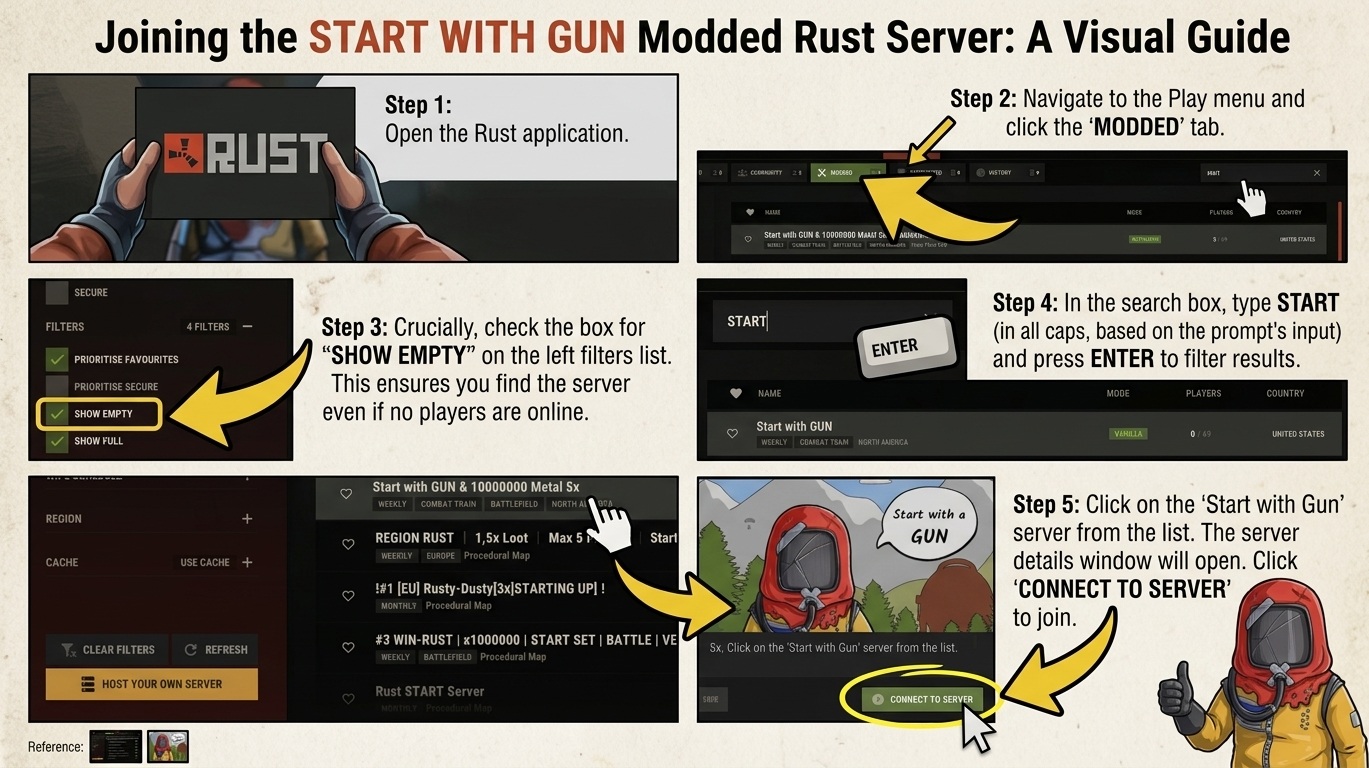
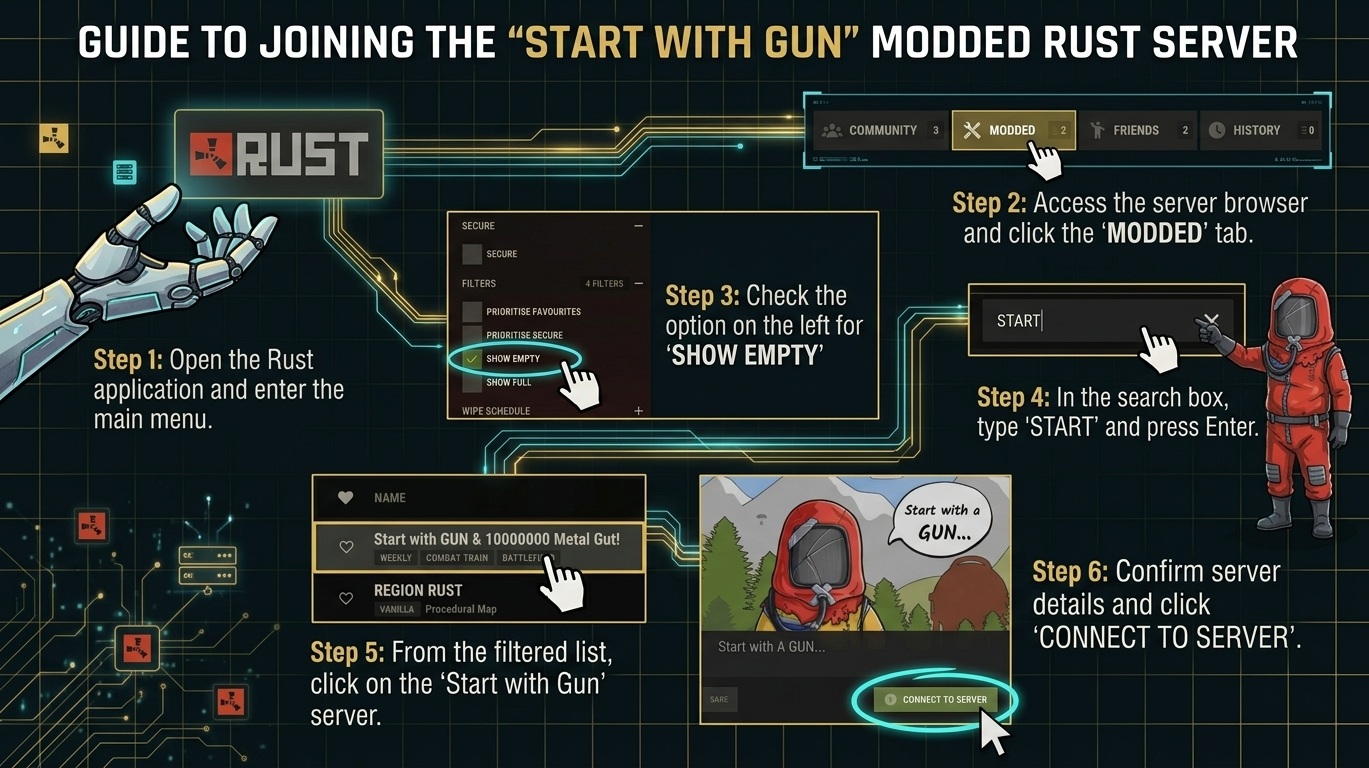
Step 1: Launch Rust & Open the Server Browser
Start by opening the Rust application on your PC. From the main menu, click on PLAY at the top bar, then navigate to the MODDED tab to view custom community servers.
Step 2: Enable “Show Empty” in Filters
On the left sidebar under the FILTERS section, make sure to check the box next to SHOW EMPTY.
Tip: Modded servers can occasionally drop to zero active players during off-peak hours or right after a wipe. Enabling this filter ensures the server appears in your search results regardless of player count.
Step 3: Search for the Server
Click on the search box in the top-right corner, type START, and press Enter.
Step 4: Select the Server
Look through the filtered list for “Start with GUN & 10000000 Metal 5x|Zombies|Kits|Small|420|event” (or your targeted “Start with Gun” server) and click on it to open the server details window.
Step 5: Connect to the Server
Review the server information pop-up (which details plugins like kits, skinbox, minicopters, and blueprints). Click the green CONNECT TO SERVER button at the bottom right to join the game!